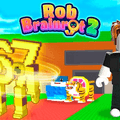
Rob Brainrot 2


More Games You'll Love








Rob Brainrot 2 Guide
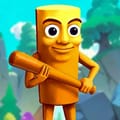
Rob Brainrot 2 is a meme-style multiplayer simulation game, but this "brainrot" theme could be deceiving. The gameplay focuses on resource management, base defense, and raiding other players' territories.
This guide will help you understand how to play Rob Brainrot 2 quickly: game mechanics, controls, and strategies to avoid falling behind from the start. No fluff, just practical tips.
Epic Features
Rob Brainrot 2 is a multiplayer simulation game packed with meme content, yet the "brainrot" style must not mislead you. The core gameplay centers on resource management, base protection, and attacking other players.
Key features include:
- Over 200 Brainrots with different rarity levels; rarer ones could generate more income.
- Real-time multiplayer mode: other players can visit your base and... Take your Brainrots.
- Flexible play styles: this is your choice to grind safely or take risks through raids.
- Lucky Wheel & Rebirth systems create extended gameplay loops, preventing early "game over" scenarios.
Notable point: Rob Brainrot 2 has no predetermined objectives; you must set your own goals.
Build Your Empire
The core of Rob Brainrot 2 lies in one fundamental choice: build or raid.
You could purchase Brainrots with earned currency and place them in your base to generate passive income.
Alternatively, try to raid other players' bases when unlocked, acquiring Brainrots faster but with increased risk.
Strategic tips:
- New players must build a stable base first; avoid raiding too early.
- Once you have weapons and understand the map layout, raiding becomes truly effective.
- Locking your base at optimal times is more important than purchasing cheap Brainrots.
Common mistake: raiding without adequate equipment makes you vulnerable to counterattacks.
Game Controls
Rob Brainrot 2 uses straightforward controls, but memorizing the correct keys is essential for quick reactions:
- Arrow Keys – Move
- Mouse – Look around
- Left Mouse Button (LMB) – Attack
- E – Buy or steal Brainrots
- G – Return home
- C – Open Brainrot collection
- V – Open shop, change character skin
- T – Spin Lucky Wheel
Tip: Always keep the G key ready when robbing. This is crucial because knowing when to retreat is more important than grabbing another Brainrot.