Merge Melons






More Games You'll Love














Merge Melons: A Fruit-Merging Puzzle Game*
Merge Melons is a casual puzzle game where you drop fruit pieces into a wooden box and combine matching pieces to make larger fruit, ending with a watermelon. It is available as a free HTML5 browser game on sites such as fruitmerge.co. The game uses simple physics: fruit pieces bounce, fall, and shift as you plan each move. No download or account is needed—open the page, click Play, and begin. A round can take two minutes or twenty, with bright graphics and straightforward gameplay.
What Is Merge Melons?
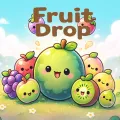
At its heart, Merge Melons is a drop-and-merge puzzle. Small fruit slices appear one by one at the top of the screen. You aim and release them into a confined arena. When two identical pieces touch, they fuse into a larger fruit, free up space, and boost your score. The progression ladder typically starts with tiny citrus pieces and climbs through oranges, apples, coconuts, pineapples, and finally the giant watermelon. Each successful merge feels physical because fruits bounce, roll, and settle according to simple physics, making every placement matter.
The game is widely recognized in its browser form and is often linked to similar mobile titles from developers who popularized the fruit-evolution style around 2022 onward. It is designed to be kid-friendly and family-safe: no violence, no timers that punish slow play, and no complicated menus. Sessions are short, making Merge Melons ideal for classroom breaks, waiting rooms, or quick mobile play on phones and tablets. The core appeal lies in the tension between careful planning and the chaos of rolling fruit—exactly the mix that keeps players coming back to chase higher scores or that perfect full watermelon.
How to Play Merge Melons
Learning the basics takes less than a minute, yet mastering the board can take many runs. Here is a clear step-by-step guide:
- Click or tap Play on the Merge Melons page.
- Check the preview to see which fruit is next.
- Move the fruit left or right to position it over the box.
- Click or release your finger to drop it. Gravity will take over.
- Matching fruits merge automatically when they touch, creating the next larger fruit.
- Watch for any level goal or target fruit on the screen.
- Save power-ups for when the pile starts getting too high.
- Keep the pile below the top line. If it reaches the line, the round ends.
- Keep merging until you make the largest watermelon you can and beat your high score.
Controls are straightforward across devices. On desktop, move the mouse to aim and left-click to drop. On mobile or tablet, drag with your finger and release. Power-up icons sit on the side for quick taps when you need them. Most versions also include a fullscreen button and simple pause or menu options.
Helpful tips turn beginners into better players fast. Drop early fruits near the center so they have room to roll both ways. Build larger fruits toward the bottom of the box and keep the drop lane relatively clear. Let pieces bounce off the walls into tight gaps rather than forcing direct drops. Always think one or two merges ahead—a single well-placed slice can trigger a satisfying chain reaction. Save cutters, smashers, or upgrade tools for genuine emergencies instead of using them the moment the board feels crowded. Play calmly; rushed drops create messy piles that are hard to recover from.
Key Features That Make Merge Melons Stand Out
Merge Melons succeeds because it combines several well-executed elements into a polished package:
Fruits bounce and settle naturally, making each placement feel dynamic rather than static. As smaller pieces merge into larger ones, the progression is easy to follow, all the way up to the giant watermelon.
Goal Mode asks you to reach a particular fruit or score, while Endless Mode focuses on surviving as long as possible and chasing a high score. Some versions also include limited-move challenges and special layouts. When a board is close to collapse, power-ups such as a knife for removing one fruit, a smash for clearing clusters, or an upgrade flower can help turn things around.
The game uses a clean wooden box, colorful fruit, and smooth animations that work for both children and adults. Its HTML5 version runs in Chrome, Firefox, Edge, and Safari, as well as on Android and iOS browsers, with no installation required. Short rounds make it easy to play during a break, while the game also encourages spatial reasoning, planning, and patience. It is free to play, requires no sign-up, and contains family-friendly content.
That mix of satisfying physics and light strategy helps explain why Merge Melons remains popular on free game portals. It is simple to start, but the urge to make one more merge can keep you playing.
Frequently Asked Questions About Merge Melons
Is Merge Melons free to play?
Yes. The browser version on fruitmerge.co and similar sites is free and requires no payment, download, or account. You can start dropping fruit within seconds.
Can I play Merge Melons on mobile?
Absolutely. Open the page in any modern mobile browser on Android or iOS. The touch controls adapt automatically. Similar dedicated apps exist on Google Play and the App Store if you prefer a native experience.
Is Merge Melons unblocked at school?
In many cases yes, because it is a simple non-violent HTML5 puzzle. Network filters vary, however. If one site is blocked, trying another reputable host often works.
Do I need to download anything?
No. The pure browser version needs nothing beyond a current web browser. Avoid unknown APKs or GitHub projects unless you are specifically looking for developer source code; the live site is safer and simpler.
What happens when two watermelons merge?
In some versions the largest fruits cycle back or award big points while resetting part of the board; exact behavior can differ slightly between hosts, but the goal remains creating and combining the biggest melons possible.
Are there tips for higher scores?
Focus on chain reactions, keep the center open longer, use walls for precise placement, and treat power-ups as last-resort tools. Practice on both mouse and touch to find your preferred aiming style.
Is Merge Melons suitable for kids?
Yes. The content is bright, non-violent, and easy to understand. Parents appreciate the short session length and the gentle way it encourages planning and spatial awareness.
Merge Melons keeps things simple: drop fruit, merge matching pieces, and work toward the watermelon. The physics are satisfying, the progression is easy to follow, and near-misses help you improve. It works as a quick break, a casual game for students, or a family-friendly activity. Aim carefully, make the first drop, and start building toward the giant watermelon.