Fruit Drop





More Games You'll Love














What Is Fruit Drop?
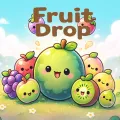
Fruit Drop is a free browser-based HTML5 puzzle game that blends simple dropping mechanics with satisfying merge progression. Players release colorful fruits into a container and watch them bounce, roll, and settle under soft physics. When two identical fruits touch, they fuse into the next larger variety. The ultimate goal is to create the giant watermelon while keeping the pile from reaching the top boundary line.
The experience feels familiar to fans of watermelon-merge and fruit-combine puzzles, yet Fruit Drop stands out with its relaxed pace, kid-friendly presentation, and clean browser delivery. No downloads, plugins, or accounts are required. You can open Fruit Drop on desktop, laptop, Chromebook, tablet, or phone and start playing in seconds. Short sessions work well for quick breaks, while longer runs reward careful planning and high-score chasing.
Because every drop interacts with real-time physics, no two rounds feel identical. Fruits wobble, slide along walls, and create unexpected chain reactions. This keeps Fruit Drop engaging for casual players, families, and puzzle fans who enjoy strategic placement without timers or complex rules.
How to Play Fruit Drop?
The core loop of Fruit Drop is easy to grasp yet deep enough to master. A single fruit appears at the top of the container. You position it horizontally, then release it so gravity carries it downward. Matching fruits that collide merge into a bigger piece and award points. Larger fruits take more space, so every placement matters.
Here is a clear step-by-step guide for Fruit Drop:
- Load Fruit Drop in any modern browser and wait for the game to appear.
- Move the current fruit left or right using the mouse cursor or by tapping on mobile.
- Click or tap to drop the fruit. It falls straight down and reacts to existing pieces with soft bounces and rolls.
- Watch for two identical fruits to touch. They combine into the next fruit in the sequence, clearing space and raising your score.
- Learn the upgrade order so you can plan toward the watermelon. Smaller fruits feed into medium ones, which eventually produce the largest prizes.
- Use the container walls and existing stacks to nudge pieces into better positions. Gentle off-center drops often produce useful rolls.
- Aim for chain reactions: one well-timed merge can trigger several more, lowering the pile and boosting points dramatically.
- The run ends when any fruit crosses the top danger line. After game over, note your score and restart immediately to improve.
The controls work the same across devices. On a PC or laptop, move the mouse and left-click to drop the fruit. On a touchscreen, drag or tap to aim, then release. On-screen buttons let you pause, mute, or restart the game. Since the fruit always falls straight down from the selected point, accurate aiming is the main skill to master.
Key Features of Fruit Drop?
Fruit Drop is a lightweight game that’s easy for players of all ages to pick up.
Physics-based stacking makes each drop feel a little different, keeping runs fresh. The controls are simple: click or tap to start playing within seconds. The goal is to build a watermelon, while endless high-score rounds continue until the container overflows—ideal for friendly challenges.
Bright fruit graphics display cleanly on monitors, tablets, and phones. Soft sound effects and music keep the mood relaxed. The game is kid-safe, with no violence, frightening themes, or complicated story, and it runs in HTML5 without plugins or installation. Local high scores save your best runs on the same device and browser, and a new round starts with one click after game over.
These features make Fruit Drop suitable for short school breaks, family play, or casual evening sessions. The absence of mandatory downloads or logins further lowers the barrier for anyone wanting quick access.
Tips for Higher Scores in Fruit Drop?
Although Fruit Drop looks gentle, consistent high scores come from planning rather than speed. Memorize the fruit upgrade sequence so you always know what the next merge will produce. Build similar fruits near the side walls first, then merge them inward. Keep the center relatively open for emergency drops. Wait until moving pieces settle before releasing the next fruit. When one side grows too tall, focus drops there to flatten the tower. Accept safe merges instead of risking a perfect setup that could end the run. Near the top line, slow down and think through each placement. Short daily practice builds pattern recognition without fatigue.
Frequently Asked Questions About Fruit Drop?
Is Fruit Drop free to play?
Yes. Fruit Drop runs entirely in the browser at no cost. There are no paywalls blocking core gameplay.
Do I need to download anything?
No. Fruit Drop is an HTML5 browser game. Open the page and play directly in Chrome, Firefox, Edge, Safari, or other modern browsers.
Can I play Fruit Drop on mobile?
Yes. The game works on phones and tablets through the browser. Touch controls replace mouse input seamlessly.
What is the goal of Fruit Drop?
Merge matching fruits into larger ones and ultimately create the giant watermelon while preventing the stack from reaching the top line. High scores come from efficient merges and chain reactions.
Is Fruit Drop suitable for kids?
Yes. The design is colorful, non-violent, and easy to learn, making it appropriate for children and family play.
How does the physics work in Fruit Drop?
Fruits bounce, roll, and settle realistically. Players can use walls and gentle angles to guide pieces into better positions for merges.
Can I play Fruit Drop offline?
The browser version requires an internet connection to load, but once running it needs no further downloads. Separate mobile apps inspired by the same idea may offer offline modes.
Are there different modes in Fruit Drop?
Most versions focus on classic endless mode: keep dropping and merging until the container overflows. The emphasis stays on high-score improvement and replayability.
Why does Fruit Drop feel different each time?
Soft physics cause fruits to settle in unique ways. Combined with random fruit order, every session presents new spatial challenges.
Fruit Drop delivers a clean, accessible take on the popular fruit-merge formula. Its combination of simple controls, satisfying physics, and clear progression makes it easy to recommend for anyone looking for a quick, colorful puzzle that still rewards thoughtful play. Whether you chase personal bests or simply enjoy watching fruits bounce and combine, Fruit Drop offers a reliable dose of browser-based fun without any barriers.